Writing and refining posts
Get more out of the writer: better notes, voice notes, the weekly brain dump, the story bank, the refine buttons, and how Unslop learns from your edits.
2 min read
The writer can only be as specific as what you give it. This guide covers how to feed it well, then how to shape the draft it gives back.
Give it something real
The best input is one real moment with one concrete detail:
- A number: "3 pages vs 40", "cut onboarding from 60 minutes to 20".
- The exact words someone said: "yours was the only one we finished reading".
- What happened next, and what you'd do differently.
Unslop never invents facts, names or numbers. If a detail isn't in your note, it won't be in the post. When the note is too thin to write from, it asks you one question instead of guessing.
Three ways to start
- + New post. One idea, one post. Type it or tap Say it to talk.
- This week. Talk for two minutes about your week. Unslop finds 3 to 5 post ideas in it, and you write the ones you like.
- Story bank. 23 questions about how you got here, what you've learned and what you believe. Answer one when you have a minute; each answer becomes material for future posts. Home suggests stories you haven't used yet.
Personal stories are welcome. A trek, a family moment or a mistake outside work often makes a better post than a work win.
Refine the draft
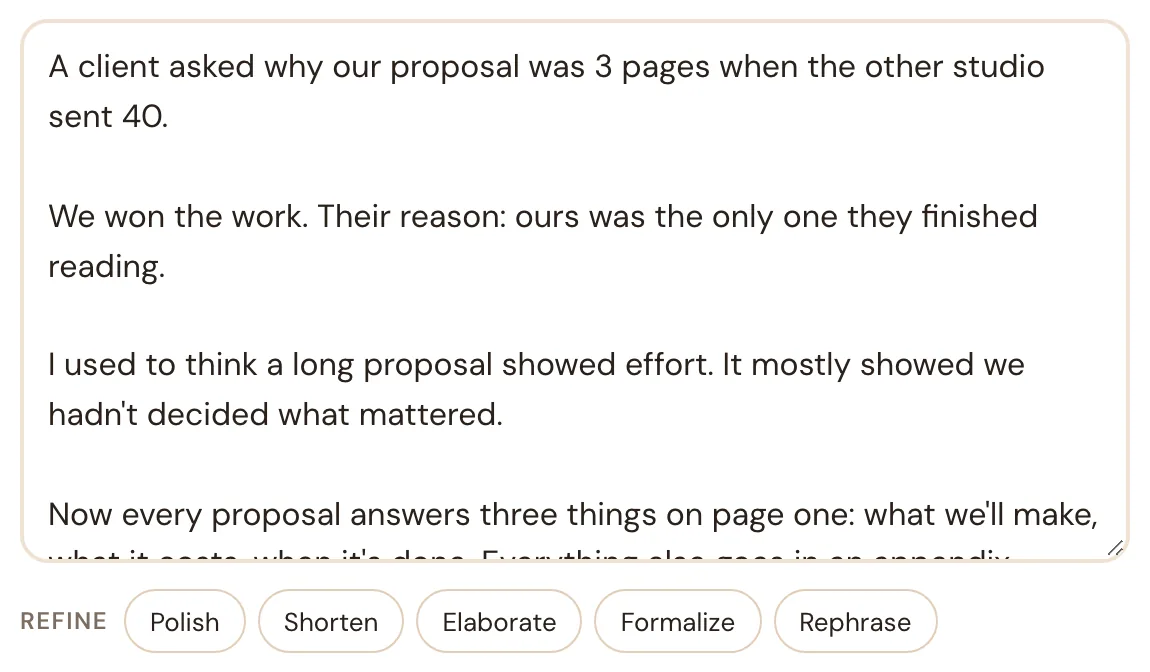
Under every draft there's a row of refine buttons:
| Button | What it does |
|---|---|
| Polish | Fixes grammar, spelling and anything a reader would trip on. Keeps your words, structure and length. |
| Shorten | Cuts about a third. Keeps the main point and the concrete details. |
| Elaborate | Makes it about a third fuller, using only what's already in your draft or notes. |
| Formalize | More formal for a professional audience, still warm, every detail kept. |
| Rephrase | Same meaning and facts, fresh wording and a different opening line. |
Each one shows an Undo right after, so you can try a button and go back. You can also type straight into the draft; the refine buttons work on whatever is in the box.
Refining doesn't use a post from your plan. There's a daily limit of 60 refines, which is far more than a person needs.
It learns from your edits
Every time you change a draft before approving it, Unslop compares its version with yours. After every few edited drafts it writes down short rules about what you keep changing, such as "keep the first line under 12 words" or "end with a question, not a call to action". New drafts follow those rules.
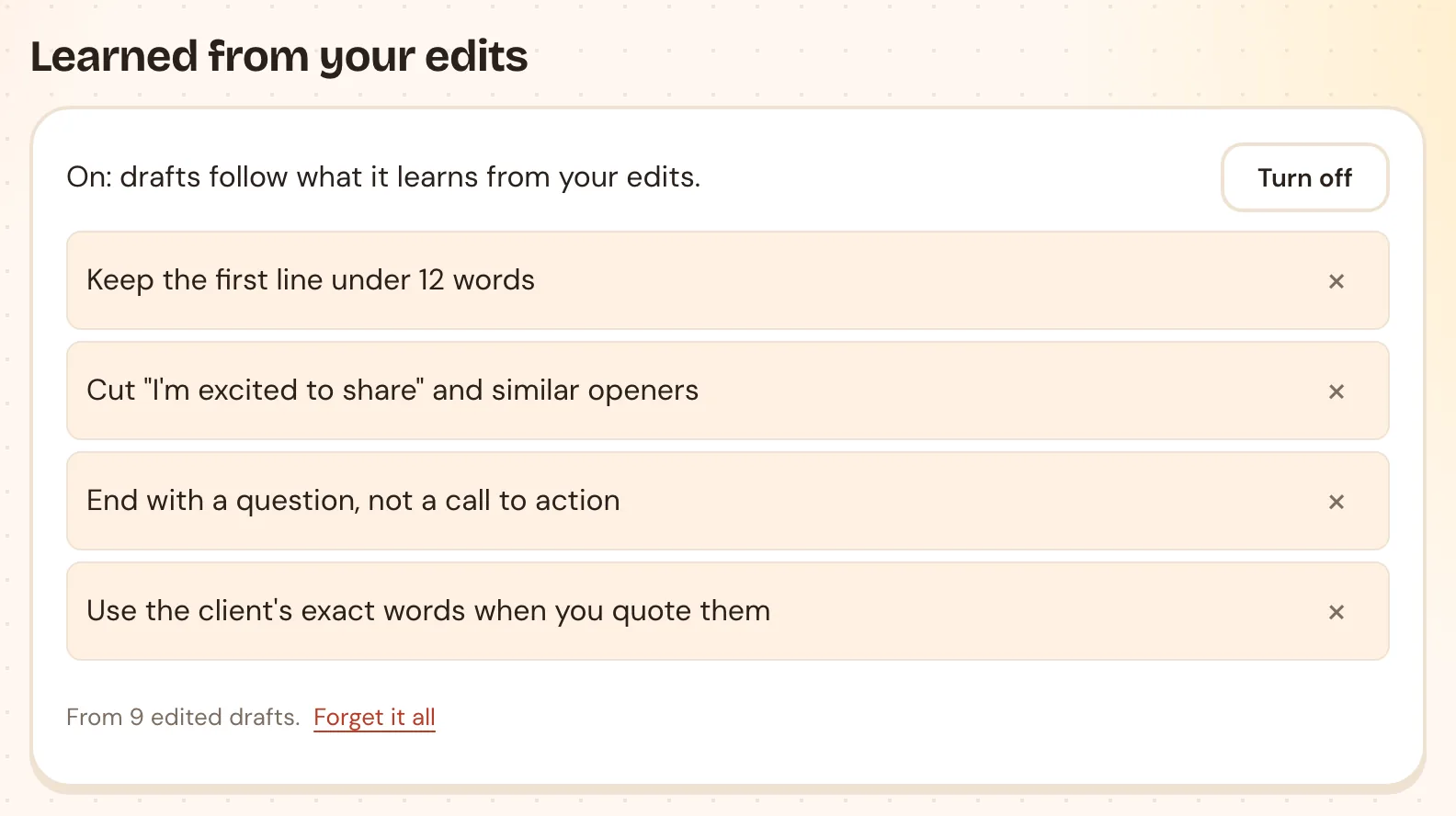
Find them in Settings → Learned from your edits. You can:
- Remove a rule you don't agree with (the ×).
- Turn off learning for a while.
- Forget it all and start fresh.
Tips
- Edit the draft rather than regenerating it. Your edits are what teach Unslop your taste.
- Keep a list of words you never want to see under Settings → Your style. Unslop already avoids the usual AI phrases.
- Use the Slop score on the homepage to check any post, yours or someone else's, for AI tells.
Rather see it with your own notes?
Book a short call and we'll turn something from your week into a post together.
Book a demo